

Personalize Marketing Platform
Marketing platform for retail businesses that need to create Facebook ad campaigns for many store locations from one place.
- Target Scale25-250
stores in a typical customer network
- PlatformWordPress + React
custom backend with app-like screens
- IntegrationFacebook API
campaigns, ads, creatives, and audiences
- DeliveryDevelopment Team
MVP build and ongoing product work
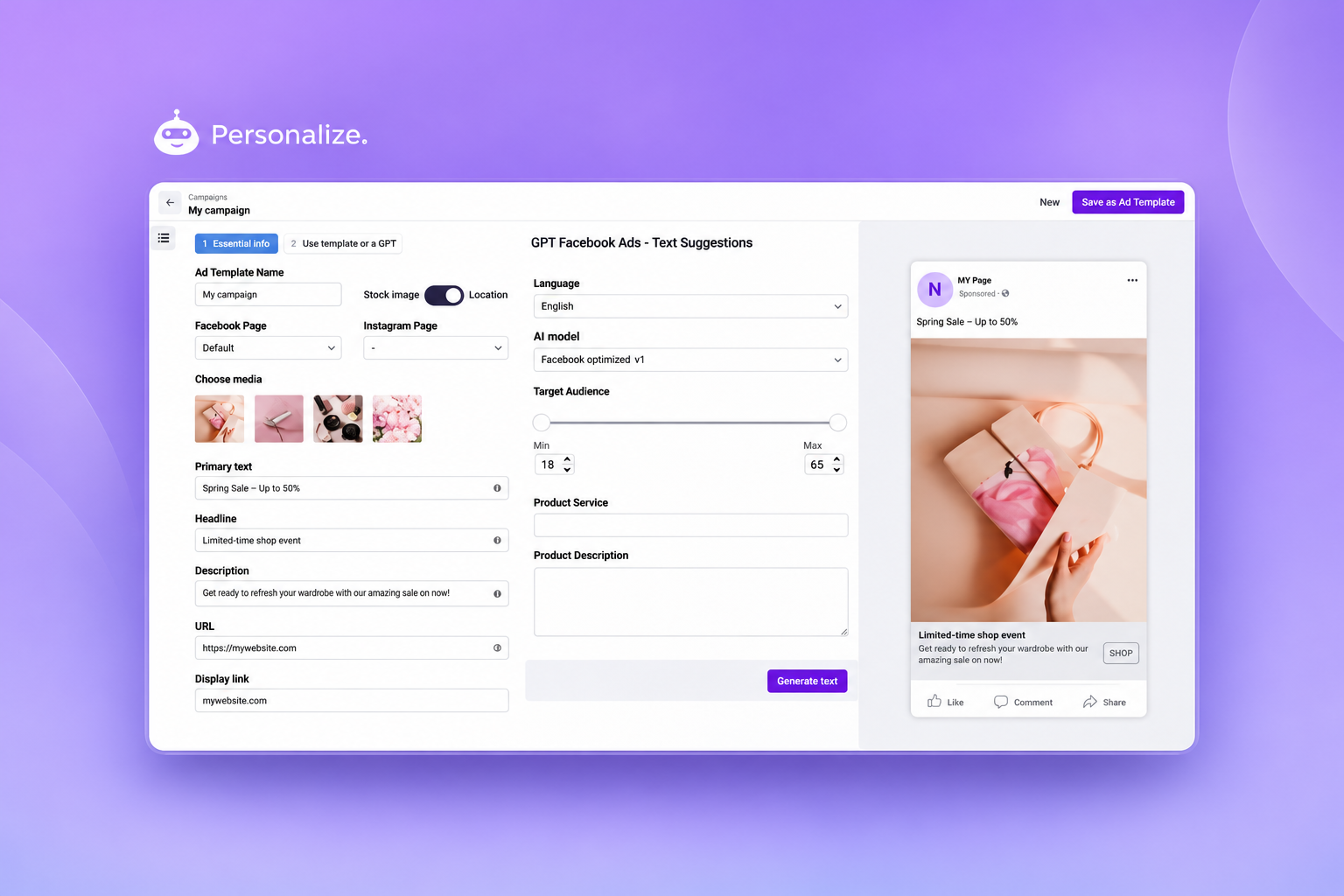
One place to manage local store campaigns
Personalize started as an MVP and grew into a product for teams that need to create, review, and publish Facebook campaigns across many store locations.
Tools used
WordPress, PHP, ACF, ReactJS, custom plugins and tables, Facebook Marketing API, and AI copy support.
What it helps with
Central marketing teams can create campaigns once, adapt them for many stores, and avoid repetitive manual setup.
Many stores, many ads, one team managing it all
The product had to help marketers create local campaign versions without manually rebuilding the same work for every store.
- Campaigns needed local versions for many store locations.
- Publishing had to work with Facebook API rules and limits.
- Marketers needed screens that felt familiar if they already used Facebook Ads Manager.
- The data grew beyond what made sense to store only in default WordPress meta fields.
A custom campaign tool built on WordPress
The Development Team combined WordPress, React, Facebook API work, AI copy support, and custom tables as the product grew.
Campaigns and Facebook API
- Facebook Marketing API was used for campaigns, ads, creatives, audiences, and publishing.
- Central templates helped create store-level campaign versions.
- Preview and review screens were shaped around patterns marketers already knew.
Data, AI, and growth
- Custom database tables were added where default WordPress meta fields became too limiting.
- Data and sync work was adjusted as store and campaign volume grew.
- AI helped suggest ad copy variations, while marketers still reviewed content before publishing.
From one template to many store campaigns
The platform lets a central team start with one campaign idea and turn it into local versions for many stores.
Step 01
Template
Marketing team creates the main campaign template.
Step 02
Localize
Store versions are created for location, audience, and schedule needs.
Step 03
AI Assist
AI suggests copy options for marketers to review.
Step 04
Review
Marketers check and approve campaign versions before publishing.
Step 05
Publish
Campaigns are sent through the Facebook API and kept in sync.
A product that grew beyond the first MVP
Need a custom marketing tool for many locations?
We build WordPress-based products with custom screens, API integrations, and tools that match how your team works.